

CUSTOM BLOCK GEOMETRY IS HERE!

Updated: Nov 2, 2022

You heard it loud and clear – we have released custom block geometry in version 1.19.40 of the Bedrock Edition of Minecraft! This means that anyone can make a custom block with their own custom geometry and textures WITHOUT turning on the Holiday Creator Features experimental toggle in settings, and custom geometry and textures for blocks are now fair game on the Marketplace!
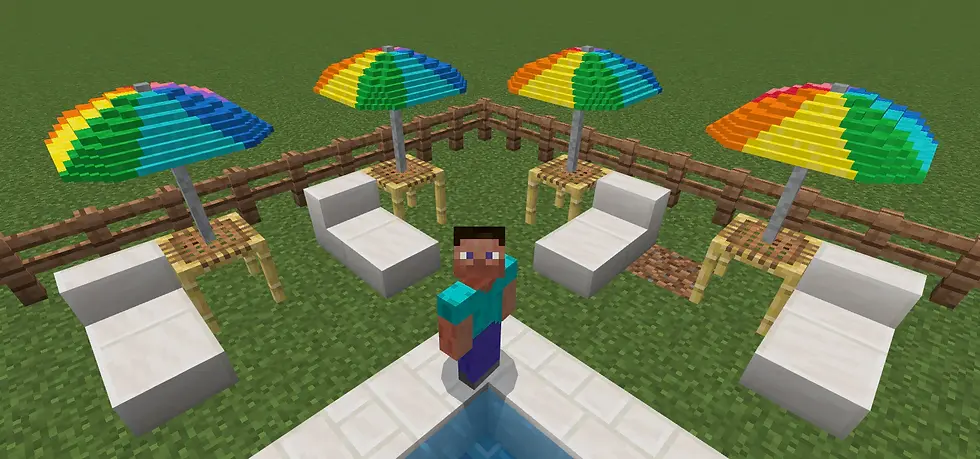
This is super exciting news, because it means that creators will be able to make any block their heart desires, giving them one more tool in their toolbox to devise even more alluring, dazzling, unique worlds than ever before!
This ability arrives in the form of the “geometry” and “material_instances” block components, which you must use to specify the geometry and textures to be used to render your custom block.
THE “MINECRAFT:GEOMETRY” BLOCK COMPONENT


This component is what tells your pack what geometry model to use to render your block. All you need to do is create your block model, place it in your resource pack, and link it to its behavior pack json file by providing the component with your model’s geometry identifier.
Check out the documentation for the “geometry” component here to learn how to use it!
THE “MINECRAFT:MATERIAL_INSTANCES” BLOCK COMPONENT

This component is what tells your pack what texture(s) to render on your block geometry. You can specify different textures for different faces of the block, or you can simply specify one texture for the entire block. You can also specify which render method you’d like to be used – opaque, double_sided, alpha_test, or blend – based on the type of coloring used on the pixels of your block (transparent, translucent, opaque). Last, you can also decide what type of lighting you’d like applied to your block by specifying the ambient_occlusion or face_dimming fields. You can test out these rendering and lighting options to figure out which are the most suitable for your custom block!
Check out the documentation for the “material_instances” component here to learn how to use it!
SIZE RESTRICTIONS FOR CUSTOM BLOCK GEOMETRY
With this new freedom to create custom blocks come some size restrictions and rules. The size limit, however, is significantly larger than just a single block, so the possibilities are endless for blocks with cool overhangs or simply just huge blocks!
A custom block geometry’s size may not exceed 1.875x1.875x1.875, or 30x30x30 pixels.
The absolute bounds that a custom block geometry must remain within are 1.875 (or 30 pixels) from the origin, on each axis.
At least one pixel on each axis must be contained within the base 1x1x1 (or 16x16x16 pixel) block.
DOCUMENTATION AND TUTORIALS
We are extremely excited about the release of custom block geometry, and we hope you are too! Here are some resources to help you get started with using the new features: How to Add a Custom Block Tutorial Block Documentation Home Page Block Component List Block Geometry Component Documentation Block Material Instances Component Documentation

Author: Kari Whiteside Published: 10.25.22
(Unlock 2x the $ value in Emerald Points)

Exclusively

From the General's Desk...
This is an amazing bit of news that I stumbled upon over at Minecraft.net this week. It is all very technical stuff, but is totally worth knowing about, especially if you are a Minecraft Marketplace Partner or map creator. I have no idea why I haven't seen anything about this on social media...not even on Twitter. Mojang really needs to share everything they post on their site.
Anyways, I would be VERY interested to talk to someone who actually uses this stuff. I would especially love to see some examples of creations resulting from this cool program.
Let me know what you think in the comments section.
- MMG
"Keep It Sharp!"


Comments