


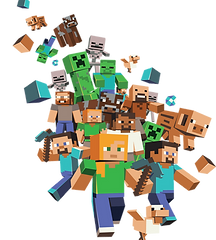

Minecraft Parent's Guide


News
There’s nothing like a shared adventure with your family! If you’re considering introducing your young ones to Minecraft or your child is already playing Minecraft, we're here to guide you through every step, from getting the game to setting up a child account, customizing your child’s experience with parental controls, and even joining in yourself. Minecraft offers a world of creativity and exploration that can last many years, and we want to make sure your family can join the fun safely from the start.
1. What is Minecraft?
Minecraft is a sandbox game played by more than 150 million people around the world, where players create their own adventures inside infinite worlds made of blocks. It's a world where you can build a staircase to the sky, a water bucket can break your fall, a chicken jockey might chase you home, and you can ride into the sunset on a pig. Minecraft can be played in different modes, which change the experience quite a bit.
Some players prefer Creative mode, which gives them an infinite supply of blocks and items to build with, plus the ability to fly, allowing for creative freedom in a peaceful world. The other game mode is called Survival mode, where players must gather their own resources to make tools and shelter and protect themselves from creatures that roam around, especially at night. You might be familiar with the iconic ‘Creeper’: this is a ‘hostile mob’ that approaches players in Survival mode with a warning hiss before it creates a small explosion. (Hardcore mode is not recommended for newer players, as it is the highest difficulty level.)
Some players enjoy trying new adventures from Minecraft Marketplace, the game's internal marketplace for downloadable content, which include worlds (both paid and free) and add-ons that provide extra features and experiences. Pre-built worlds offer custom adventures, challenges, and mini games, and do not offer the player a choice of game mode. The Marketplace has many fun worlds for new players to explore, as well as worlds based on well-known IP such as Bluey, Star Wars, and SpongeBob and an educational collection. This is one of the special things about Minecraft: you shape your own story and choose how to play the game.
2. Why is Minecraft a good family game?
Minecraft is one of those rare games that the whole family can enjoy together, whatever their age or experience. Since everyone can play their own way, a younger child can happily decorate a cozy cottage while an older sibling hunts for diamonds deep underground: the player can join in at whatever pace or style suits them. On consoles, you can even play side by side on the same screen with split-screen, and family members on different devices can team up in the same world.
Minecraft is a game that grows with your child. Their first world might start with a humble dirt hut, but before long, many young players are designing towering castles, setting up farms, and tinkering with ‘redstone’, Minecraft's version of electrical circuits. Along the way, they're flexing their creativity, planning, critical thinking, and problem-solving skills. Building together teaches teamwork, leadership, and compromise, too. Even setbacks have an upside: when a creeper turns a prized build into a crater, the only thing to do is pick up the pieces and start again, often with an even better design. It's no wonder so many teachers use Minecraft in the classroom (more on Minecraft Education below).
Best of all, Minecraft is a wonderful way to connect with your child. Many kids love being the expert, so don't be surprised if your child becomes your guide, teaching you how to craft your first pickaxe or proudly giving you a tour of their latest creation. And even if gaming isn't your thing, asking about their builds and adventures is a great way to step into the worlds they're dreaming up.
3. How to get Minecraft
Minecraft is available on almost every device and offers cross-platform gameplay, which is great for families who play together across different platforms. For most devices, you buy the game through that platform's own store. Keep in mind that a copy bought on one platform doesn't unlock the game on another, even if you sign in with the same Microsoft account, so it's worth buying it for the device your child will be using.
On XBOX, PlayStation, Nintendo Switch, iOS, Android, Chromebook, and Amazon Fire, players get Minecraft: Bedrock Edition from the XBOX Store, PlayStation Store, Nintendo eShop, App Store, Google Play, or Amazon Appstore. On computers, Minecraft is sold as Minecraft: Java & Bedrock Edition, which you can buy on Minecraft.net, in the Microsoft Store, or through the Minecraft Launcher. It's also included with PC Game Pass Premium.
You'll need a Microsoft account to buy and play. On PC and consoles, the game also comes in Standard, Deluxe, and Ultimate versions. It's the same game in all three; the bigger collections just add Minecoins and Marketplace add-ons, which only work in Bedrock Edition.
4. How to set up family accounts
To set up Minecraft for your child, you will first need an adult Microsoft account. Microsoft's guide on creating a new Microsoft account walks you through signing up, what comes with the account, what to try if sign-up doesn't work, and more.
Child accounts must be linked to an adult account. You can setup a child account using Microsoft family group. You will be the sole manager of your child’s account, which includes managing parental controls, multiplayer and communication permissions. Child accounts have extra safety settings turned on by default and only adult accounts can modify family settings. You can read more about adding people to your family group at https://support.microsoft.com/en-us/family-safety/add-people-to-your-family-group.
We recommend using the XBOX Family Settings app to easily manage your child’s account from your mobile device. You can download the app or learn more on the XBOX Family Hub. To set or edit parental controls for your child’s account, visit https://account.xbox.com/settings and then click the account that you want to edit.
5. About our age ratings
The game has a recommended PEGI rating of 7 and an ESRB rating of Everyone 10+. However, Minecraft has players of all ages, and if you play with your child, you might find yourself enthralled by Minecraft's blocky charm.
While Minecraft doesn't contain graphic violence, players can attack mobs (including villagers) and be attacked in turn. There is no blood or gore, weapons are mostly medieval (spears and swords; no guns), and ‘hits’ only push back the affected mob as their body briefly flash red. Once defeated, they topple over and vanish in a puff of smoke, often leaving behind treasured items and experience points.
Minecraft can sometimes be a bit scary for younger players, although it is not designed with jump scares or excessively distressing situations. For example, you might hear a nearby zombie's groan when mining underground or this hiss of an approaching Creeper. Keep in mind ‘hostile mobs’ like zombies, Creepers, and skeletons only show up in Survival mode and can be turned off. And overall, most scenarios like this tend to err on the side of eerie or thrilling rather than truly scary.
An easy way to get your child started playing without ANY risk of hostile mobs showing up, set their world to Peaceful as the difficulty setting. They can still explore, build, and interact with animals and villagers, but they won't have to face anything potentially scary. Dive deeper into the differences between Creative and Survival mode here.
6. How to set up safe multiplayer
Playing with others is one of the best parts of Minecraft. Players love crafting together, exploring and creating, and socializing in the game. There are lots of different ways to play together, such as playing with friends in private invite-only servers called Realms. No matter how you choose to play, we have multiple layers of protections and tools for parents in place to ensure you can make the choices that are right for your family and continue to have a fun and welcoming experience.
Child accounts have online multiplayer and chat turned off by default, so your child can't play or chat with others online unless you change their settings. To enable online multiplayer, go to XBOX account settings, select your child’s account, and allow them to join multiplayer games. Under Privacy, choose who can communicate with them when they play online multiplayer. Friends is a good starting point; Block hides chat and invitations without disabling multiplayer.
There are multiple ways players can play with others in Minecraft. You can set up a Minecraft Realm, a secure, private server where you control who you play with. You can also search for Partner Servers in Minecraft: Bedrock Edition that implement chat filters and in-game reporting. If you want to explore private, third-party servers, we recommend using the Official Minecraft Server List http://aka.ms/OfficialMinecraftServerList to ensure you and your family are playing on servers committed to safety and security.
Keep an open dialogue with your child about their gameplay and remind them to never share any personal information online, use the mute, block or report features if needed, and tell you if anything makes them uncomfortable. If you’re curious to explore ways to talk about online safety with your family, check out the CyberSafe collection in the Marketplace for free downloadable content and family-friendly discussion guides.
7. Bedrock vs Java vs Education
There are several versions of the Minecraft game, and it helps to understand the difference (and which ones your kids are playing).
Bedrock Edition is the most-played version of Minecraft and our recommendation for young players. Bedrock is available across more than 20 platforms, including PCs and consoles. Players can access the Minecraft Marketplace to download playable worlds and game add-ons, some of which cost money. Marketplace content is made by Mojang's creator partners and follows the game's PEGI 7 and ESRB Everyone 10+ ratings, which is why many people prefer Bedrock for their families. Bedrock offers Realms subscriptions as well, which are closed servers that enable multiplayer gameplay.
Java Edition is the ‘original’ version of Minecraft and long-time players know it for how open and customizable it is. This version supports compatible third-party content, so it's great for experienced players who want to modify their game. There are some incredible Java mods out there that reflect the creativity of our community. It is important for parents to know that those mods are not affiliated with Mojang Studios, and some content isn't appropriate for younger audiences. Parental involvement is recommended so you can choose the content that is right for your family. Note that, on computers, Bedrock and Java are sold together as one game: Minecraft: Java & Bedrock Edition. On consoles and mobile devices, Minecraft is available as Bedrock Edition.
Minecraft Education is a special version of Minecraft purpose-built for the classroom, with features like a lesson library, in-game coding, and accessibility features to support students. School systems all over the world use Minecraft Education to teach school subjects, inspire creativity and critical thinking, and engage students in meaningful skill-building. The platform is part of Microsoft 365 Education subscriptions, with purchase options for homeschools, after-school programs, summer camps and nonprofits. Learn more about Minecraft Education here. While there isn’t a purchase option for individuals, you can find some fantastic educational content in the Minecraft Marketplace.
8. Minecraft’s Community & Support resources
Our team is here to support you along the way. The Help Center offers lots of resources to help with account creation, game setup, Realms, player safety and more. You can submit feedback here as well.
Minecraft has a vibrant community of players—including parents—across our social media channels and Discord server. We also have a Community Champions program to help the Minecraft team better understand the diverse experiences, needs, and perspectives of players around the world through ongoing feedback and conversation. We welcome you to join the conversation.
We hope you are excited to start your Minecraft journey. We are glad you are here and wish you and your family a smooth, safe journey. We can’t wait to see what you create together!

Author: Mojang Staff
Published: 11.12.26

From the General's Desk...
That was a well-thought out introductory guide for parents who may be looking at or considering Minecraft for the very first time, and it may also be answering many unasked questions seasoned Mnecraft parents have been wondering for some time now. Though I believe this guide is long overdue, I certainly do applaud Mojang and Microsoft for finally putting this together and putting it out there. It was very thorough, I thought, and it even touched upon issues and elements that I had not previously considered.
I am not just a Minecraft payer myself. I am also the parent of Minecraft players. So having this Parent's Guide is not only helpful and appreciative, it instills in me a greater confidence in Mojang and Microsoft in the protection of my own children while they are playing Minecraft online. My children are fortunate that their father is a very seasoned Minecraft player. My oldest daughter introduced me to Minecraft when she was 9 years old. She is 22 now. I have been playing Minecraft since MCPE Alpha 0.7.0. So for the past 13 years of Minecraft, I have seen incredible changes, not just in the game itself, but also in how it is accessed and how online safety protocols are implemented and enforced. We I first started playing MInecraft, my level of multiplayer gaming was isolated to playing with one of my kids within my own private network. After this opened up to a much larger online Minecraft community, cyber security for myself and my children became a new and very important asect for my conideration. And I have seen Mojang and Microsoft take such issues seriously over the years.
Minecraft is one of those peaceful, quiet, relaxing, adventurous, creative family games that maintaines an atmosphere of innocense and safety and comfort. It is very important to me that in comparison to what is available in th egaming world and in the world wide web, that Mojang and Microsoft do all they can to prioritze keeping Minecraft in such a way. Its what sets them apart from any other game or communinty. No one wants that tarnished.
Well done, Mojang and Microsoft. Thank you for protecting the sanctity of our children and in the game we love.
What are your thoughts about Mojang's ne Minecrfat Parent's Guide? Please LIKE, SHARE & COMMENT down below...
Thank you for reading.
- MMG
"Keep It Sharp!"


Comments